常见参数
下面要介绍的参数本质上都是一样的, 只是官方以不同的方式使用了他们, 例如,
官方使用了某个参数来调整音乐音量, 起作用的是参数本身, 只不过这个参数恰好叫 fade 而已
例子将以 Lua Cutscenes 作为演示, 你使用 Trigger 也能达到一样的效果
fade
表示背景音乐的音量(当然如果你没有给对应的 event 添加 fade 参数, 那么这个参数自然也影响不到音乐, 官方的音乐同理)
例如
 1
 2
 3
 4
 5
 6
 7
 8
 9
10
11
12
13
14
15
16
17
18
19 | local Audio = require("#Celeste.Audio")
function onBegin()
disableMovement()
setFade(1)
playMusic("event:/music/lvl6/main") -- 先随便放个音乐
wait(5)
setFade(0) -- 音乐淡出
wait(2)
setFade(1) -- 音乐淡入
wait(3)
enableMovement()
end
function setFade(fade)
Audio.SetMusicParam("fade", fade)
end
|
提示
你可以模仿这个例子去设置任意的自定义参数, Lua Cutscenes 只是给你提供了常用的函数, 但你能做的更多
progress
主要用于
- 7a 每上升 500m 音乐里会多一种乐器声
- 8a 高潮段中的递进效果
如果你感兴趣的话可以在 fmod 中搜索 progress 参数具体被哪些 event 使用了
例如
 1
 2
 3
 4
 5
 6
 7
 8
 9
10
11
12
13
14
15
16
17
18
19
20
21
22
23
24
25
26
27
28
29
30
31
32
33 | local Audio = require("#Celeste.Audio")
function onBegin()
disableMovement()
playMusic("event:/music/lvl7/main")
wait(3)
-- 由于不同 progress 在循环节前都差不多, 所以我们从循环节后 40s 开始播放, 单位为毫秒 ms
Audio.CurrentMusicEventInstance:setTimelinePosition(40 * 1000)
setMusicProgression(0)
jump()
wait(5)
jump()
setMusicProgression(1)
wait(5)
jump()
setMusicProgression(2)
wait(5)
jump()
setMusicProgression(3)
wait(5)
jump()
setMusicProgression(4)
wait(5)
jump()
setMusicProgression(5)
wait(5)
enableMovement()
end
|
 1
 2
 3
 4
 5
 6
 7
 8
 9
10
11
12
13
14
15
16
17 | function onBegin()
disableMovement()
playMusic("event:/music/lvl9/main")
wait(5)
jump()
setMusicProgression(2)
wait(5)
jump()
setMusicProgression(3)
wait(5)
jump()
setMusicProgression(4)
enableMovement()
end
|
layer
官方会在有些 event 里放很多个音轨, 并用 layer1, layer2, layer3, ... 等参数来分别控制他们的音量
例如
 1
 2
 3
 4
 5
 6
 7
 8
 9
10
11
12
13
14
15
16
17
18
19
20 | function onBegin()
disableMovement()
playMusic("event:/music/lvl6/main")
-- 设置 layer1 参数为 0
setMusicLayer(1, 0)
setMusicLayer(2, 0)
setMusicLayer(3, 0)
wait(10)
-- 设置 layer1 参数为 1
setMusicLayer(1, 1)
wait(10)
setMusicLayer(2, 1)
wait(10)
setMusicLayer(3, 1)
wait(10)
enableMovement()
end
|
蔚蓝实现磁带面音乐的方式是不断递增 sixteenth_note 参数, 然后在不同的数值位置播放对应的短音效
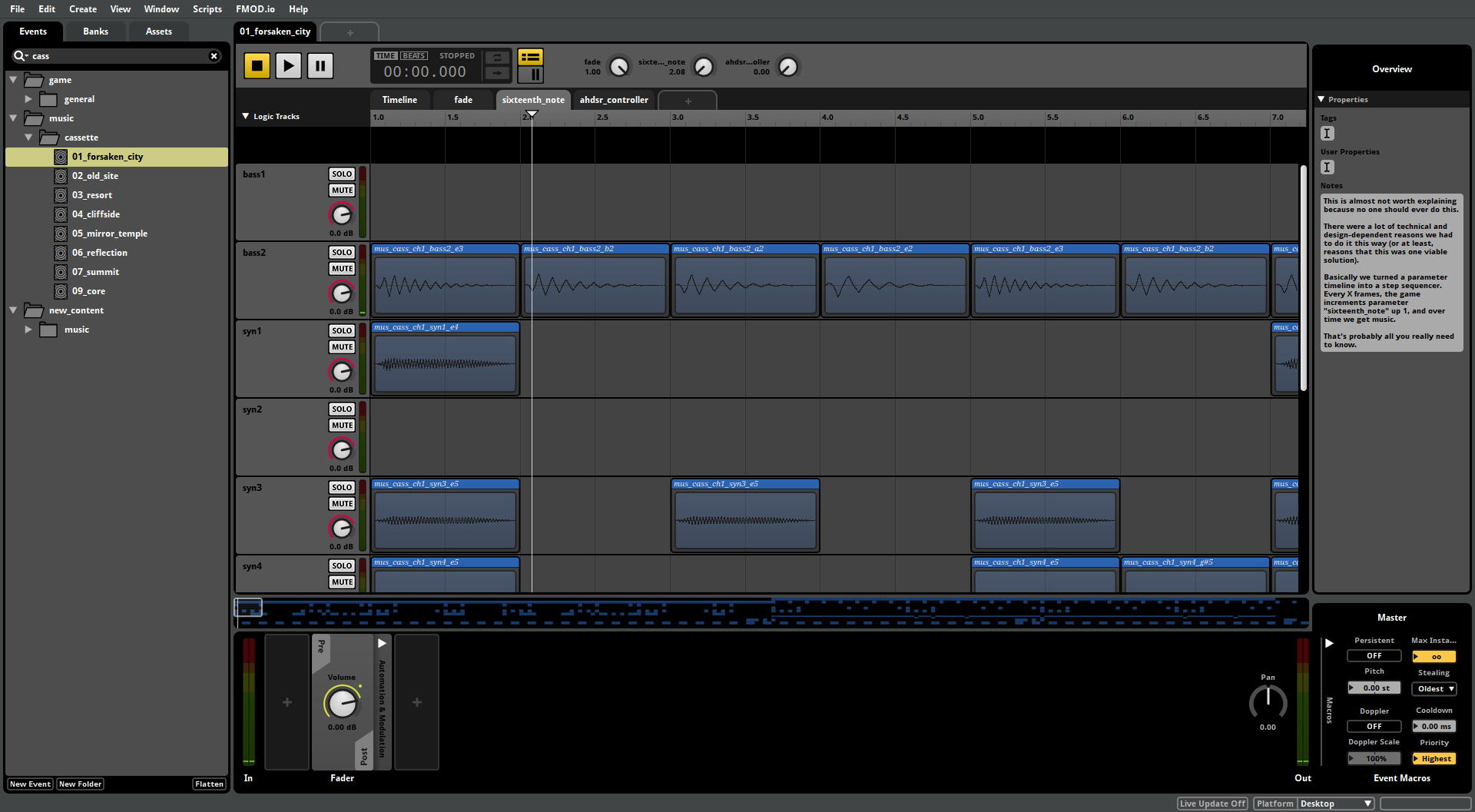
例如
 1
 2
 3
 4
 5
 6
 7
 8
 9
10
11
12
13
14
15
16
17
18
19
20 | local Audio = require("#Celeste.Audio")
function onBegin()
disableMovement()
playMusic("event:/music/cassette/01_forsaken_city")
wait(3)
-- 逐一播放每一拍, 从 1 开始
for i = 1, 256 do
setSixteenthNote(i)
wait(0.2)
end
enableMovement()
end
function setSixteenthNote(note)
Audio.SetMusicParam("sixteenth_note", note)
end
|